Alert lifecycle, severity, and triage explained with real numbers: what gets fixed, what waits five months, and where the queue actually breaks.
SOC alerts are security notifications generated by tools like SIEMs, EDRs, or CNAPPs to flag suspicious or risky activity within an environment. They are routed to a Security Operations Center (SOC) for investigation and response.
Alerts can signal anything from failed logins and malware detections to misconfigurations and privilege escalations. Some are high-priority threats, others are false positives or low risk.
The real challenge is volume. Teams often face thousands of alerts daily, making triage, tuning, and automation essential to avoid alert fatigue and focus on what matters.
Learn how SOC alerts work, how they’re triaged, and how your team can manage them more effectively to reduce noise, prioritize real threats, and strengthen cloud security posture.
Learn how SOC alerts work, how to triage and prioritize them, and how to manage alert fatigue with the right tools, roles, and automation powered by Tamnoon Academy.
Every SOC alert follows a general lifecycle, from the moment it’s triggered to its final resolution.
Understanding this process is key to managing alert volume, reducing false positives, and accelerating response time.
Looking to master the SOC alert lifecycle? Learn how to execute a cloud remediation plan.
Not all SOC alerts are created equal. Some point to real threats, others are harmless anomalies or false positives. Knowing how to recognize high-priority alerts and how they typically appear is critical for fast and accurate triage.
Here are some of the most common alert types SOC teams encounter:
Triggers when a user attempts to escalate privileges, access unauthorized resources, or modify role assignments.
A sudden assignment of AdministratorAccess to an IAM role, especially if it’s tied to a container or public endpoint, is a major red flag. These alerts often precede account takeovers or lateral movement.
Includes unusual traffic patterns, port scanning, or communication with known malicious IPs.
An alert may flag outbound traffic from a cloud VM to a command-and-control domain, especially if it’s uncommon for that workload. Alert enrichment helps distinguish a threat from an anomaly.
Fires when a storage bucket, database, or workload is publicly accessible without restrictions.
These are frequent in cloud environments, often due to misconfigured permissions. While not every public bucket is dangerous, exposure of production data is a critical risk.
For example, IMDSv1-related misconfigurations remain one of the most persistent and high-volume cloud issues.
Detected when an attacker tries to move from one system to another within the network.
Examples include the use of stolen tokens, pivoting across regions, or abnormal CLI activity across unrelated assets.
Involves encoded PowerShell commands, reverse shells, or obfuscated scripts.
Alerts often detect base64-encoded commands used in post-exploitation activity. These can originate from developer tools or misused automation pipelines.
Looking to reduce noise from these types of alerts? Learn more about the benefits of automated remediation workflows and how they separate signal from noise across large environments.
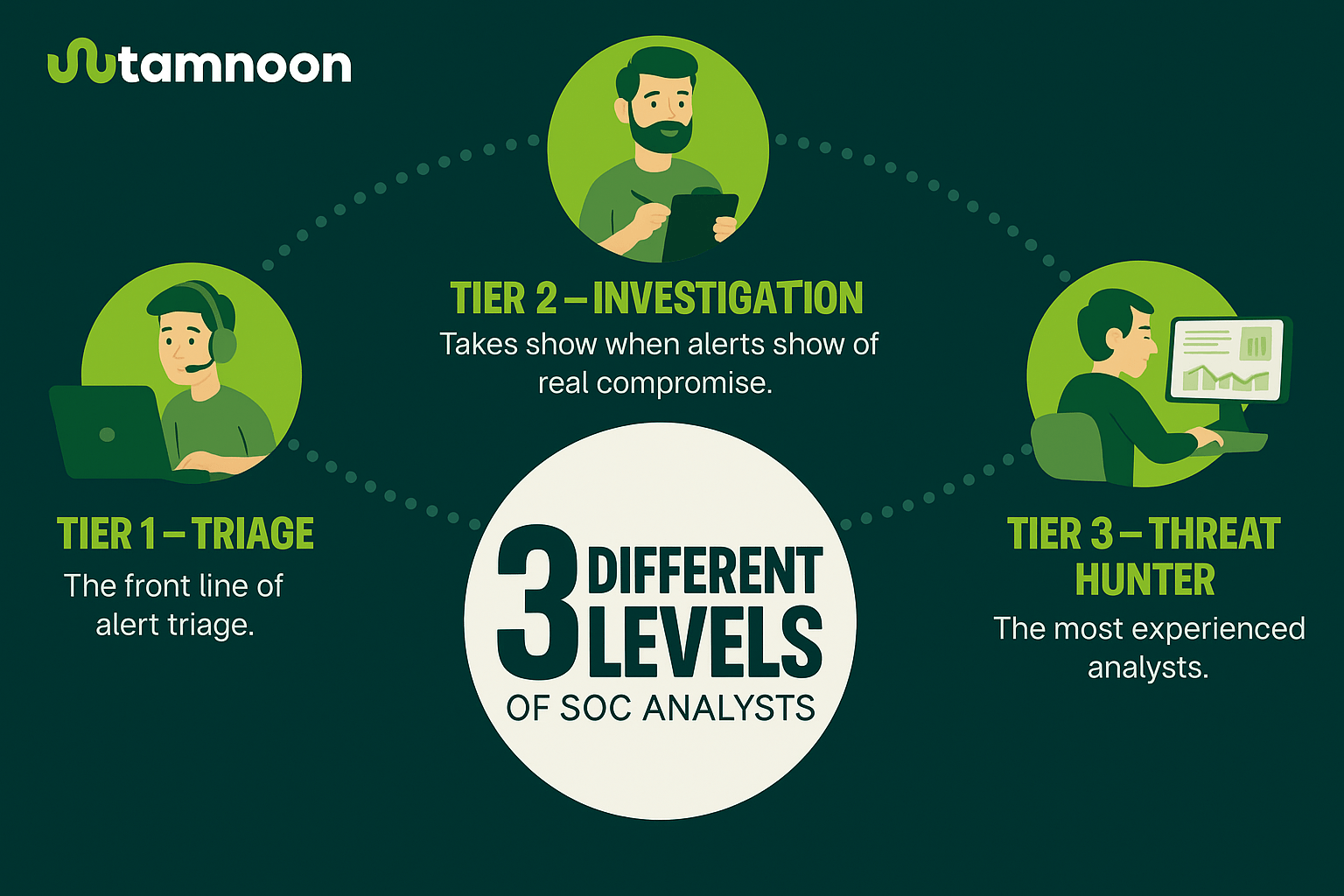
Managing SOC alerts isn’t a one-person job. Each alert moves through a team-based workflow, where roles are defined by depth of expertise and responsibility. Clear ownership helps reduce response time and avoid missed threats.
The front line of alert triage.
Tier 1 analysts monitor dashboards, acknowledge new alerts, and perform initial investigations. Their job is to filter out false positives and escalate anything suspicious.
They rely heavily on pre-set rules and playbooks, making well-tuned detection logic and clear alert definitions essential.
Related Content: How to build an effective proactive remediation strategy for cloud security
Takes over when alerts show signs of real compromise.
These analysts dig deeper, correlating logs, examining lateral movement, or identifying privilege escalation patterns.
Tier 2s often validate that an incident is real before recommending containment or remediation.
The most experienced analysts.
They investigate complex or novel threats, often using threat intelligence or behavioral analytics. Tier 3s also help develop detection rules and tune alert thresholds.
Oversees alert volume, SLAs, and team performance.
They review SOC metrics, such as Mean Time to Detect (MTTD), Mean Time to Respond (MTTR), and alert closure rates, to improve processes and allocate resources effectively.
To benchmark these KPIs and build a stronger triage loop, explore how SOC metrics align with remediation impact.
Automates alert triage and response.
While not people, AI and SOAR tools now play a central role in handling alerts. They ingest data, auto-enrich alerts, recommend next steps, and even take direct action.
However, human validation remains critical, especially for sensitive systems. NIST emphasizes that automation should augment, not replace, human analysis in critical workflows (NIST SP 800‑61 Revision 2).
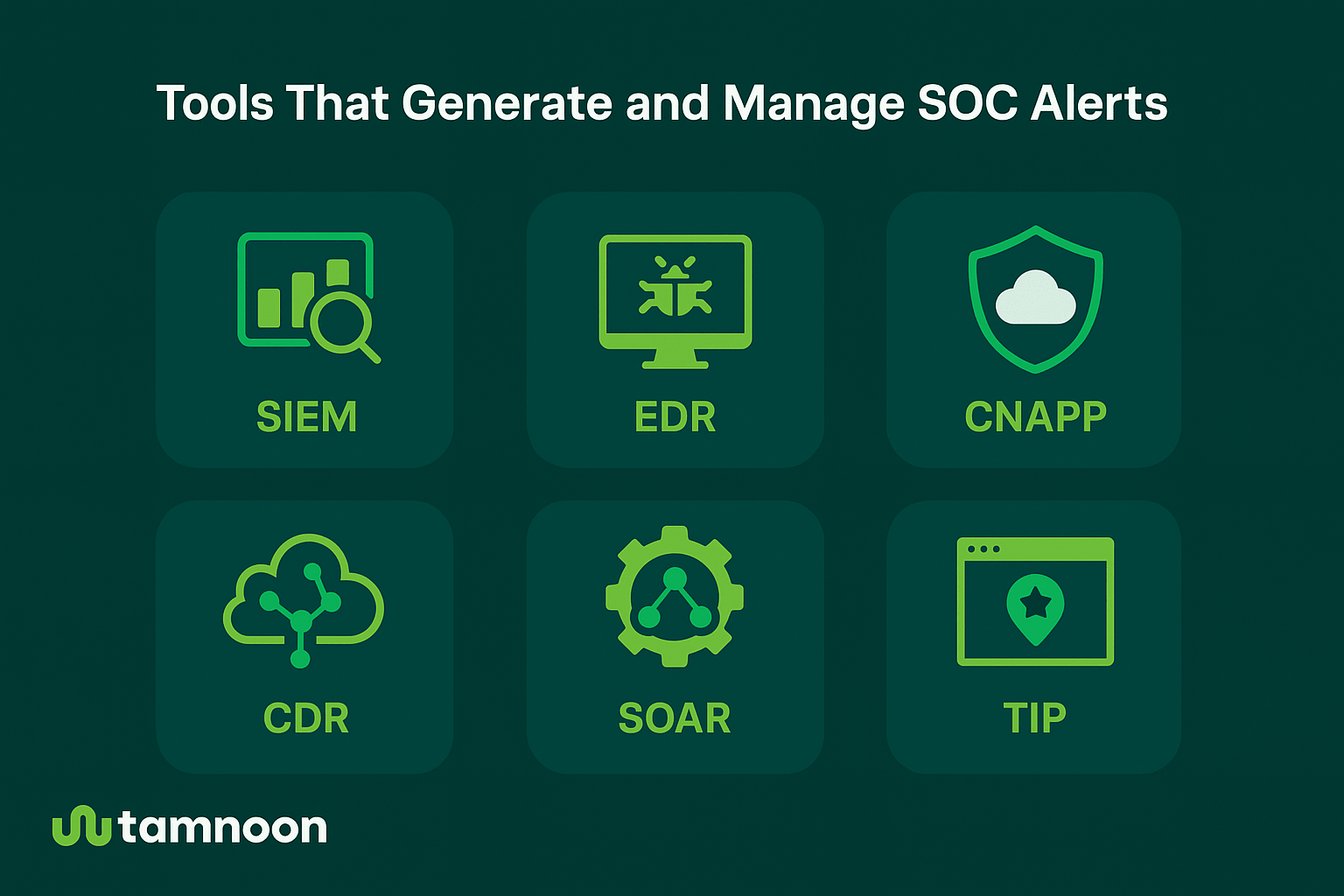
SOC alerts come from a variety of security tools. Each plays a different role in detection, enrichment, and response.
Understanding these systems helps teams interpret alerts accurately and design more effective workflows.
Aggregates logs from across your environment and surfaces suspicious patterns through correlation rules.
Tools like Splunk, Sumo Logic, and IBM QRadar generate a high volume of alerts, which must be triaged and tuned to avoid overload.
Monitors endpoint activity, including processes, file changes, or network behavior for signs of compromise.
EDR tools often produce alerts tied to malware, persistence techniques, or local privilege escalation attempts.
Combines cloud security posture management (CSPM), workload protection, entitlement management, and more.
CNAPPs like Wiz or Prisma Cloud often flag misconfigurations, risky identities, and exposed services. These alerts form the foundation of many cloud triage workflows.
Understand how misconfigurations impact SOC alert triage and why prioritization is critical.
We analyzed 4.7 million CNAPP alerts so you don’t have to. Here’s what we learned.
See the full state of cloud remediation report
Monitors cloud-native activity in real time to detect threats like lateral movement, credential abuse, or resource tampering across cloud workloads.
CDR tools focus on runtime detection, looking for anomalies in how services behave, how APIs are accessed, or how identities interact within your cloud environment. They’re especially useful for catching stealthy or post-exploitation activity that static posture tools may miss.
CDR often works alongside CNAPPs, or feeds alerts into SOAR systems, for coordinated response.
Connects security tools and automates response workflows, such as quarantining a host or assigning a ticket.
SOAR doesn’t generate alerts, but plays a key role in resolving them faster and consistently.
Unifies alerts across endpoints, networks, cloud, and identity systems to provide broader context.
XDR platforms aim to reduce alert silos and support faster investigation through centralized telemetry.
Enrich alerts with external data, like known malicious IPs, domains, or attacker behavior.
This helps analysts evaluate severity and adds context to otherwise ambiguous alerts.
Left untuned, SOC tools can overwhelm teams with noise. Tuning is the ongoing process of adjusting detection rules, thresholds, and logic to reduce false positives and surface what truly matters.
Without tuning, critical alerts can get buried under a flood of low-priority events. Alert fatigue sets in, response time slows, and risks slip through. Effective tuning enhances precision, reduces noise, and enables analysts to focus on what’s real.
To keep these tuning steps effective over time, build them into a consistent process with clear best practices.
Tuning isn’t a one-time task. It should be seen as a continuous process. The better your tuning, the faster your team can respond to what actually matters.
With alert volumes rising and response time under pressure, many SOCs now rely on automation and AI to stay ahead.
These systems help prioritize alerts, reduce manual workloads, and accelerate response, especially for repetitive or low-complexity tasks.
Even the best models can misclassify alerts. Critical systems still need human validation, especially when the cost of error is high.
According to NIST SP 800‑61, automation should enhance, not replace, analyst judgment in incident response.
AI-driven triage platforms are increasingly used to classify and enrich alerts at scale. They process thousands of signals per day, highlight what’s most urgent, and suppress low-priority noise. This speeds up detection and helps teams avoid alert fatigue.
But automation alone isn’t enough.
In real-world environments, the most effective SOCs pair automation with human judgment.
While AI accelerates triage and suggests responses, analysts still validate critical alerts, investigate unusual behavior, and apply business context to ensure accuracy. This hybrid approach ensures speed doesn’t come at the cost of accuracy.
Analysts also use what they learn to fine-tune detection rules, close logic gaps, and improve the next round of alerts, feeding human insight back into the system.
Automation handles the volume. People handle the risk. Together, they make remediation faster, smarter, and more reliable.
Tracking the right metrics helps SOC teams measure performance, spot gaps, and improve how alerts are handled.
SOC alerts will never stop. But they don’t have to slow you down. The real advantage comes from how you manage them, through tuned detection, clear roles, consistent processes, and smart use of automation.
Teams that streamline triage, prioritize based on real risk, and close the loop between alert and response make faster decisions, reduce backlog, and strengthen security with every alert they handle.
It varies by organization size and tooling, but enterprise SOCs often see thousands of alerts per day. Volume alone isn’t the problem, it’s the noise.
Overly broad detection rules, misaligned thresholds, and a lack of business context are common causes.
Triage is a quick assessment used to classify and prioritize alerts. Investigation digs deeper to determine if it’s real and what action to take.
They can, but it doesn’t scale. Even basic automation like enrichment or filtering can significantly reduce manual overhead.
Yes. Environments have different risk levels and behavior patterns. Tuning should reflect the context of each.
At least quarterly, or anytime you adopt new infrastructure, experience an incident, or notice recurring noise from a particular source.
Tamnoon reads the findings your scanner already raised, closes what Tamnoon can prove safe through your own controls, and declines the rest in writing with the evidence why.