The industry has spent billions making detection faster and smarter. CNAPPs, CSPMs, and vulnerability scanners surface thousands of findings every day. But visibility isn’t the issue anymore.

Cloud security has a last-mile problem.
The industry has spent billions making detection faster and smarter. CNAPPs, CSPMs, and vulnerability scanners surface thousands of findings every day. But visibility isn’t the issue anymore. In cloud security remediation, what matters is what happens after issues are identified.
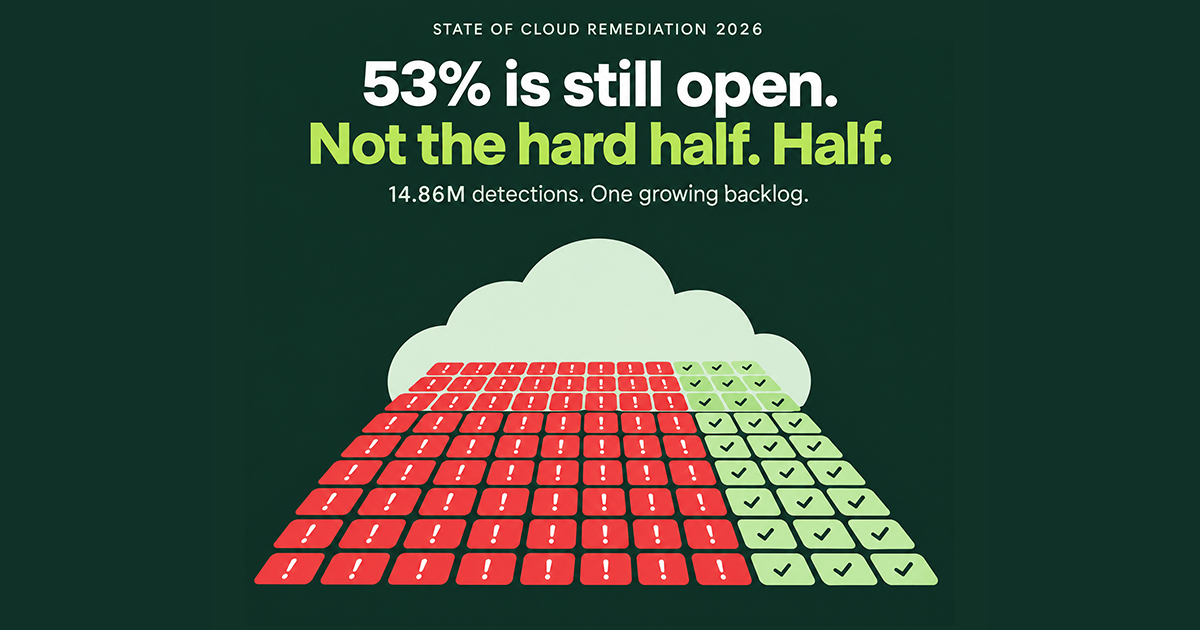
Tamnoon’s own research shows most security teams investigate about 4% of the alerts their tools generate, with less than 1% resulting in a confirmed fix. For the ones that do get addressed, it’s not fast. Tamnoon’s State of Cloud Remediation 2025 revealed that critical cloud misconfigurations sit unresolved for an average of 128 days before remediation. That’s over four months of exposure per finding.
Why? Because every investigation starts with simple questions like:
Answering those questions takes time most teams don’t have, so the backlog grows by nearly 40% year over year.
This clearly reflects a remediation gap rooted in how issues are resolved, something automated remediation is working to solve. But successful AI-powered remediation depends on how work moves from alert to resolution.
Explore each stage of the CNAPP remediation workflow, how findings are prioritized and investigated, where automation applies, and where human judgment is required to protect production systems.
Before getting into what automated cloud remediation looks like, it’s worth laying out what most teams are actually dealing with today.
There are a few specific friction points that make this cloud security remediation process unsustainable at scale.
Context gathering is the biggest time sink, and it’s almost entirely manual. There’s no systematic way to assess blast radius, so teams either move cautiously and leave risk open, or move fast and risk breaking production.
Every alert gets roughly the same treatment regardless of whether it’s a production database or an idle test bucket. Cloud security alert fatigue sets in, and the handoff between security and engineering creates friction that compounds over time, with security losing credibility each time they escalate something that turns out to be low priority.
None of this is a failure of the people involved, but a broader problem with the process. The tools that find problems weren’t designed to fix them, and the space between those two steps is where risk accumulates.
Here’s how the two approaches compare at each stage of the workflow:
| Workflow Stage | Manual Remediation | Automated Remediation |
| Alert intake | Analyst reviews alerts one at a time. Duplicates across tools are common and often treated as separate issues. | AI deduplicates across CNAPPs and groups related alerts into prioritized initiatives. ~145 alerts per initiative on average. |
| Context gathering | Hours per finding. Analyst checks cloud consoles, resource tags, Slack threads, and internal wikis manually. | Tami runs automated queries against cloud APIs in minutes. All read-only. No production impact. |
| Safety assessment | Based on severity rating and analyst judgment. No systematic blast radius analysis. | RCI score updated progressively by targeted investigative automations. Each step narrows uncertainty. |
| Execution | Ticket handoff to resource owner, who re-researches the issue with minimal context. Days to weeks of wait time. | Parameterized scripts from battle-tested playbooks. Human approval gates for RISKY findings. UNSAFE findings routed with full context. |
| Validation | Check the CNAPP dashboard the next day to see if the alert disappeared. | Post-remediation scans, configuration drift checks, and complete audit trail with full attribution. |
| Prevention | Rarely reached. Same misconfigurations resurface. Alert fatigue cycle restarts. | Guardrails implemented via SCPs, Azure Blueprints, and policy-as-code. Same issue can’t be reintroduced. |
The workflow still follows a logical progression. You don’t skip steps, as AI and human expertise are applied at different stages to eliminate the bottlenecks described above.
In Tamnoon’s case, the AI agent driving this workflow is called Tami, trained on millions of real-world cloud security alerts and remediation outcomes. Tami handles the investigative and operational work. Human experts (called CloudPros) handle judgment calls and high-risk approvals.
One thing worth noting upfront: most of this work happens outside the production environment. Investigation, enrichment, safety analysis, and remediation planning all occur without touching live infrastructure. The only moment production is involved is the final, validated execution step. That distinction matters when the fear of breaking something is the main reason remediation stalls.
Here’s what each stage looks like when automated cloud remediation is done right:
Every automated cloud remediation workflow starts with the same problem: too many alerts from too many tools, with no unified view of what actually needs attention.
This stage pulls findings from whatever CNAPPs, CSPMs, or detection tools the organization is running. Findings are normalized into a common format, deduplicated across tools, and grouped into unified initiatives based on shared root cause or affected resource.
All of this is handled by AI. No human involvement at this stage. The system recognizes when two different tools flag the same S3 bucket for the same issue and groups them into a single initiative rather than creating duplicate work.
In a manual workflow, this step either doesn’t exist or happens in an analyst’s head. They might see the same finding from two solutions and treat them as separate issues, doubling their workload. Or they miss that six alerts all trace back to the same underlying cloud misconfiguration. There’s no systematic deduplication, just tribal knowledge and spreadsheets.
With AI, the analyst’s queue goes from thousands of individual alerts to a manageable set of prioritized initiatives before a human ever looks at it. That alone changes the starting point for everything that follows.
A raw alert doesn’t contain enough information to act on safely. It tells you what’s wrong, but not whether fixing it will break something. This stage builds the full picture around each initiative.
The AI runs automated queries against live cloud APIs to pull context that would take an analyst hours to gather manually. Depending on the finding type, this includes:
There’s no human involvement yet. And critically, all of this is read-only. The system is querying metadata and logs, not modifying anything in the environment. Nothing in production is being touched.
In a manual workflow, this is the step that kills velocity. An analyst doing this work logs into cloud consoles, runs CLI queries, cross-references internal documentation, and pieces together a picture that might take hours per finding. In many cases, they skip enrichment entirely because they don’t have time, which means they’re making remediation decisions without understanding what they’re actually touching.
The output of this stage is a fully enriched initiative with enough context to answer the real question: is this safe to fix?
Enrichment builds the case file. Investigation answers the question: what happens if we fix this right now?
This is where automated cloud remediation diverges most sharply from the manual approach. Instead of relying on an analyst’s judgment call based on a severity rating, the AI runs targeted investigative automations tailored to the specific finding type. Each one answers a single safety question, and the results feed into a dynamic remediation confidence score called the Remediation Confidence Indicator (RCI).
Depending on the finding, the AI might:
Each automation updates the RCI, which rates every finding as SAFE (proceed with confidence), RISKY (remediation path exists but requires human review), or UNSAFE (needs team coordination before anyone touches it). The score isn’t static, but rather evolves with each new piece of evidence, narrowing uncertainty step by step.
Say several S3 buckets get flagged for the same policy violation: no HTTPS enforcement. Same alert, same severity. After investigation, the system determines:
Same finding. Three different outcomes. That distinction doesn’t exist in a manual workflow, where the analyst checks the severity, maybe confirms whether the resource is in production, and either escalates or attempts a fix. There’s no progressive confidence scoring, no systematic blast radius assessment, and no clear framework for distinguishing “safe to proceed” from “needs more context.”
All of the investigation work described above is still read-only. No changes to production. The RCI is built entirely from observed behavior and metadata, not from test executions against live infrastructure.
See how Tami investigates findings, assigns safety scores, and routes remediation based on what’s actually safe to act on.
This is the one stage where production is actually touched, and only for findings that have passed through investigation and safety assessment. Nothing reaches this point without an RCI attached.
The remediation path depends on that score:
In a manual workflow, none of this sorting exists. The developer gets a ticket that says “fix this S3 bucket policy” with minimal context. They re-research the issue, figure out the right fix, test it, and deploy it. The investigation that already happened on the security side doesn’t transfer. With agentic remediation, that work carries through to execution. Nothing gets repeated.
The fix is deployed, but the workflow isn’t done.
This stage confirms that the remediation actually worked, that it resolved the root cause, and didn’t introduce new problems. The AI runs post-remediation scans to verify the finding is closed, checks for configuration drift or regressions, and documents everything in a complete audit trail.
That audit trail captures the full timeline: what was found, what context was gathered, what the RCI was at each stage, what action was taken, who approved it, and what the verification results showed.
Every step is attributed, whether it was performed by the AI agent or a human expert. For organizations operating under SOC2, HIPAA, or similar frameworks, this is the compliance record that proves the issue was handled properly.
Then comes the step most manual workflows never reach: prevention.
The system implements guardrails like Service Control Policies, Azure Blueprints, and policy-as-code rules to ensure the same misconfiguration can’t be reintroduced. This is what turns a single fix into a permanent posture improvement.
In a manual workflow, validation usually means checking the CNAPP dashboard the next day to see if the alert disappeared. Root cause confirmation is rare. Prevention is rarer. The same cloud misconfiguration resurfaces weeks later, the same alert fires again, and the cycle restarts.
That recurrence is a major driver of cloud security alert fatigue, and it’s entirely avoidable when validation and prevention are built into the workflow.
The difference isn’t just speed, though that matters. Our own data shows organizations using AI-powered cloud security remediation see up to an 95% reduction in MTTR, a 25x increase in investigated alerts, and up to a 95% reduction in ticket volume.
But the bigger shift is operational:
Automated remediation solves the last mile of cloud security across all stages. Ingestion turns thousands of alerts into manageable initiatives, enrichment builds context, investigation determines what’s safe to act on, execution follows the evidence, and validation and prevention close the loop permanently.
At every stage, AI handles the volume and investigative heavy lifting, while humans handle judgment calls and high-risk approvals. Neither replaces the other. Together, they close the last mile of cloud security.
Organizations using Tamnoon reduce open cloud exposures by up to 82% within 90 days. Book a demo to see how agent-led, expert-supervised remediation can work with your CNAPP.