Ever wonder what happens when a single secret ends up copy-pasted across dozens of cloud services? Or how fast that quiet mistake can turn into a wide-open blast radius?
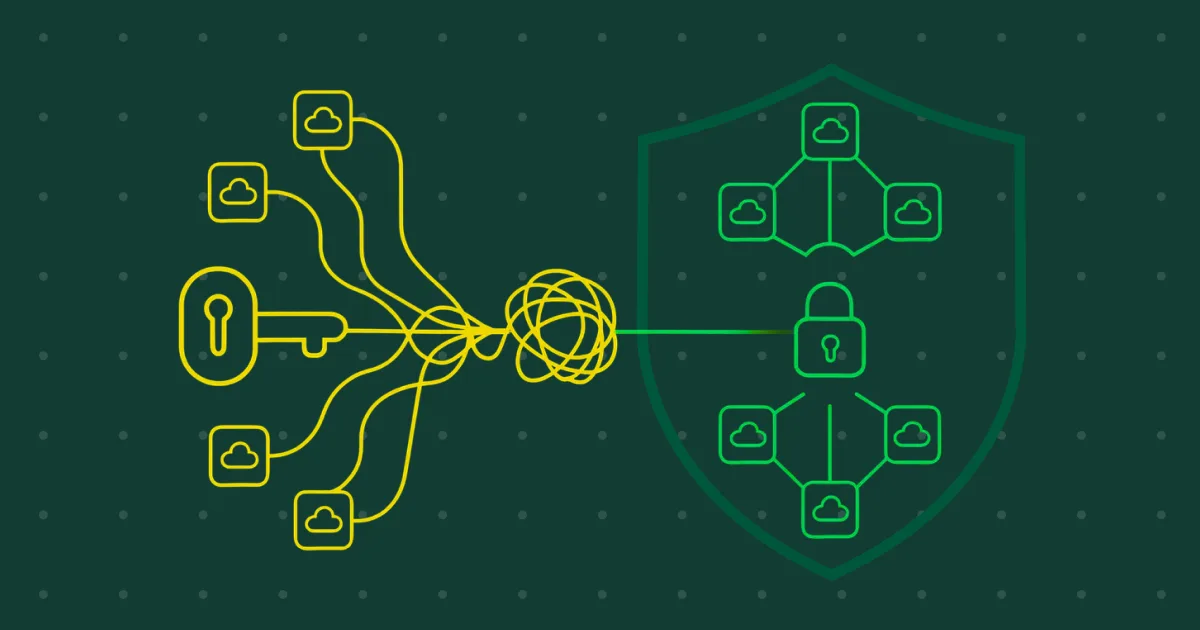
Ever wonder what happens when a single secret ends up copy-pasted across dozens of cloud services? Or how fast that quiet mistake can turn into a wide-open blast radius?
Cloud Security Misconfigurations in the Wild is where we walk through real situations like this. Our team runs into all kinds of cloud anomalies, and sharing these stories helps others stay ahead, spot patterns early, and avoid the pitfalls we see every day.
This one comes from a global brewing company scaling fast in Azure. Their Function Apps were growing by the week, but buried inside them were hard-coded secrets spread across 103 apps being reused in ways that created more access than anyone realized.
A large brewer had been scaling their Azure environment quickly. New Function Apps were being deployed, updated, or replaced on a constant cycle.
In environments like this, small shortcuts tend to sneak in: a secret added to an environment variable “just for now,” a password reused because there isn’t time to rotate it, or a token dropped into a config file because someone needed to get a service running.
But tight deadlines here, a sudden fire there, and these hardcoded secrets never get removed. Over time, these shortcuts stack up. In this case, they stacked up across 103 Azure Function Apps.
Wiz did catch the issue. It flagged the presence of hard-coded secrets inside the environment variables for dozens of these apps. But the alert stopped at the surface. It told the client that secrets existed, but not:
To the client, it looked like a simple “secrets in app settings” finding. To us, it looked like something much bigger. When secrets are copied and pasted across workloads, every reuse multiplies the risk. A single compromised value can unlock many services, and every Function App becomes a potential entry point.
And there was another issue, too. Some secrets were technically stored in Azure Key Vault, but still appeared in plaintext inside the Function App configuration. In other words, the tooling existed, but the implementation drifted from best practice as teams scaled.
This combination of widespread reuse, hard-coded values, and inconsistent use of Key Vault, created a situation where the client had no clear picture of their true exposure. And without that picture, meaningful remediation wasn’t possible yet.
When we stepped in, the first goal was to stop the guesswork.
A single “secrets found” alert doesn’t tell you the real risk. You need to understand the scale, reuse patterns, and which secrets can actually move an attacker farther into the environment.
So, we ran a full secret exposure analysis across all 103 Function Apps. Instead of treating every finding the same, we grouped secrets by:
Here’s what we found:
Values like DefaultConnection, MICROSOFT_PROVIDER_AUTHENTICATION_SECRET, and DB_PASSWORD appeared again and again. A few of these acted like master keys. If one leaked, many services were at risk in a single step.
Credentials like SQL_PASSWORD, DATABRICKS_TOKEN, and O365_PASSWORD weren’t everywhere, but they were spread widely enough to enable lateral movement across key services.
These included items like EMAIL_CLIENT_SECRET, MYSQL_PASSWORD, and ANAPLAN_PASSWORD. Lower in count, but still important because they showed how inconsistent the overall secret-management process had become.
One of the more surprising findings was the disconnect between intent and execution. Several secrets were stored correctly in Key Vault, yet still appeared in plaintext in environment variables. The team had the right tools, but rapid scaling created drift.
By the end of the analysis, the client had something they didn’t have before: a clear, ranked map of their exposure. It wasn’t just “you have secrets in app settings.” It was “here are the exact secrets, where they appear, how dangerous they are, and what needs to be fixed first.”
This set the stage for next steps and made actual remediation possible.
Cleaning up secret sprawl is more than swapping one value for another. You need to rebuild how secrets move through the environment so the same problem doesn’t show up again in six months. That meant creating a plan that was safe, scalable, and realistic for a team already managing rapid growth.
We focused on four core steps:
All Class 1 and Class 2 secrets were prioritized first. We shifted them out of environment variables and into Key Vault, using secure references instead of plaintext values. This created a single, governed source of truth.
With identities in place, Function Apps no longer needed to store or pass credentials. They could authenticate directly to Key Vault, removing the need for embedded secrets altogether.
Access policies were tightened around each identity so every Function App only saw what it needed. This cut down the blast radius even further and prevented over-permissioning.
We worked with their team to refactor Function App settings to use the @Microsoft.KeyVault reference model. For scale, we supplied ARM and Terraform patterns so teams could roll these changes into future deployments without reintroducing plaintext secrets.
The goal wasn’t a one-time cleanup, but rather to give them a secret-handling model that stayed consistent as they scaled past 200 apps and beyond.
The team now has a clear timeline and a defined outcome for the next phase of work. With every secret categorized and mapped, the cleanup effort moves from investigation into execution.
Over the next 30 to 60 days, more than 65 high-impact secrets will be remediated and replaced with managed access patterns across the entire environment.
Here’s what the client can expect as the rollout continues:
This shifts the environment away from firefighting and toward a stable, long-term secret-handling model.
If this sounds familiar, we can help. Tamnoon can map your secret exposure, prioritize what matters, and guide you through a scalable fix that won’t break as you grow. Book a demo today to learn more.